 Rustango
 Scaffolding
Rustango has two layers of code generation, both modeled on the generators you know from Django and Laravel — so you rarely wire boilerplate by hand:
- The project generator —
cargo rustango newcreates a whole new project from a template. - In-project generators —
manage startappand themanage make:*family add apps, views, serializers, jobs, and more inside an existing project.
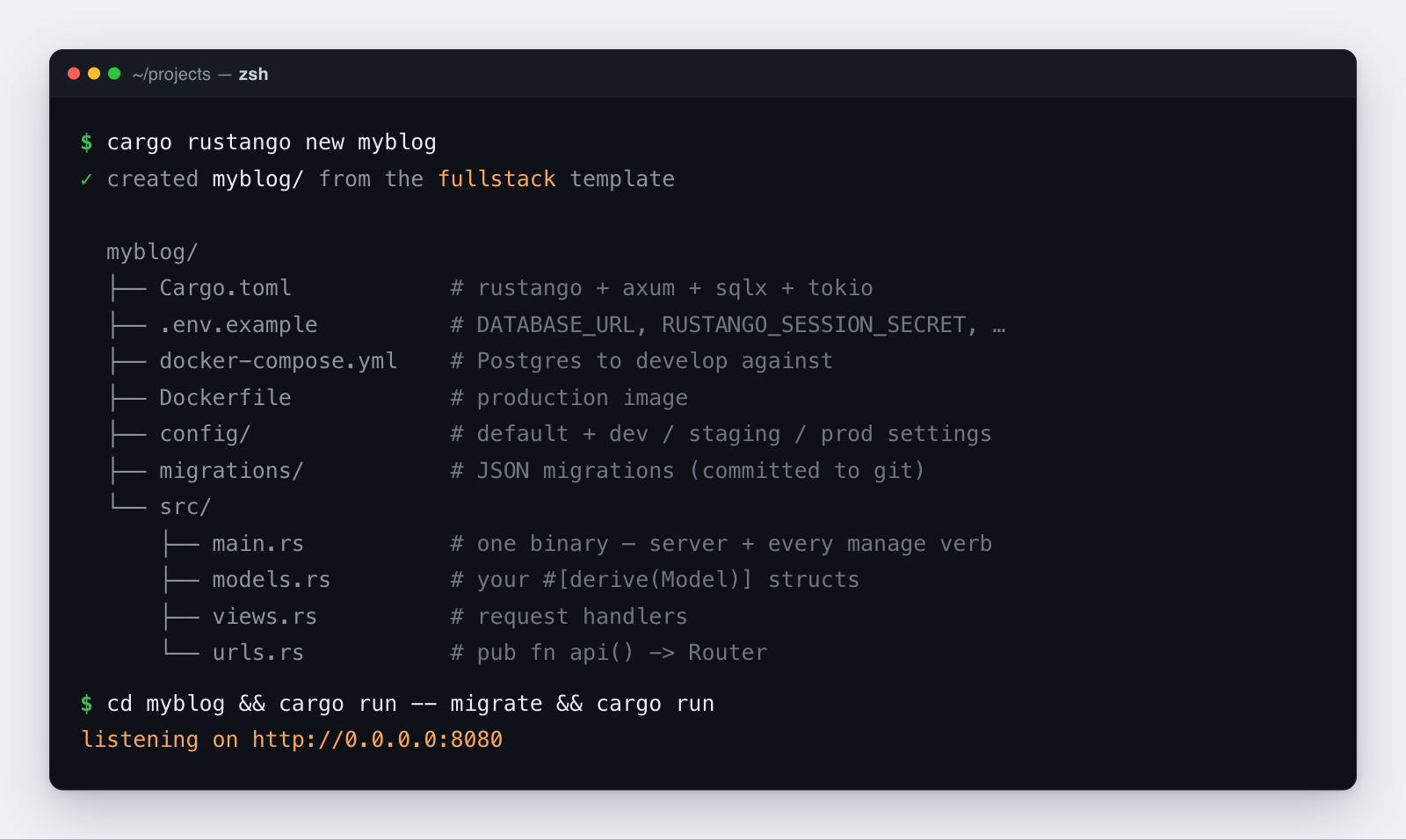
Table of contents
- Install the generator
- Create a project:
cargo rustango new - What gets generated
- Add a feature module:
manage startapp - Generate single files: the
make:*commands - A typical flow
Install the generator
cargo rustango is a Cargo subcommand. Install it once, globally:
cargo install cargo-rustango
That puts a cargo-rustango binary on your PATH; Cargo then exposes it as cargo rustango (the same way django-admin or the laravel installer give you a global command).
Create a project: cargo rustango new
cargo rustango new <name> [--template api|fullstack|tenant]
<name>— the project (and crate) name. It must be a valid Cargo crate name ([A-Za-z_][A-Za-z0-9_-]*), and the target directory must not already exist.--template/-t— which starter to scaffold (default: fullstack).--help/-h,--version— usage and version.
The three templates
Each maps to one of Rustango's three app shapes:
| Template | What you get | Reach for it when |
|---|---|---|
api | Bare ORM + Axum, no admin | JSON-only services and microservices |
fullstack (default) | ORM + the auto-admin | A typical web app with a back-office |
tenant | Multi-tenancy + operator console + per-tenant apps | SaaS hosting many isolated tenants |
cargo rustango new myblog                      # fullstack (the default)
cargo rustango new api_demo  --template api
cargo rustango new shop      --template tenant
What gets generated
Every template writes a self-contained Cargo project:
<name>/
  Cargo.toml            # the rustango dependency + features for this template
  .env.example          # copy to .env (DATABASE_URL, RUSTANGO_SESSION_SECRET, …)
  .gitignore
  rust-toolchain.toml   # pins the Rust toolchain
  docker-compose.yml    # a Postgres service to develop against
  Dockerfile            # production image
  README.md
  config/
    default.toml        # settings shared across every environment
    dev_settings.toml   # per-tier overrides …
    staging_settings.toml
    prod_settings.toml
  migrations/           # JSON migration files (committed to git)
  src/
    main.rs             # the single binary — HTTP server + every manage verb
    models.rs           # your #[derive(Model)] structs
    views.rs            # request handlers ("views")
    urls.rs             # pub fn api() -> Router that aggregates your routes
One binary for everything
src/main.rs is the only entrypoint. It boots the HTTP server and dispatches every manage verb — there is no separate manage.py or src/bin/manage.rs:
mod models;
mod urls;
mod views;

#[rustango::main]
async fn main() -> Result<(), Box<dyn std::error::Error>> {
    let _ = dotenvy::dotenv();
    rustango::manage::Cli::new()
        .api(urls::api())
        .with_welcome()  // friendly `/` page until you add a root handler
        .with_health()   // /health + /ready endpoints (fullstack & tenant)
        .run()
        .await
}
So cargo run starts the server, and cargo run -- <verb> runs migrations, generators, and the rest.
How the templates differ inside main.rs / urls.rs:
- api — no admin;
urls::api()simply aggregates your own routes. - fullstack —
urls.rsalso exposesadmin_router(pool)(built fromadmin::Builder::new(pool).build()) so the auto-admin mounts at/admin. - tenant —
main.rsadds.tenancy(), serving the operator console at the apex domain and each tenant under its own subdomain. It also ships the registry + tenant bootstrap migrations, so the very firstcargo run -- migrateworks with no extra setup.
Layered configuration
Settings load config/default.toml first, then config/<RUSTANGO_ENV>_settings.toml on top. RUSTANGO_ENV defaults to dev, so a freshly scaffolded cargo run works with no edits; set RUSTANGO_ENV=prod in production to pick up prod_settings.toml.
First run
cd <name>
cp .env.example .env
docker compose up -d        # start Postgres
cargo run -- migrate        # apply migrations
cargo run                   # serve
cargo run -- --help         # see every manage verb
Add a feature module: manage startapp
This is Django's startapp — scaffold a self-contained module of related models, views, and routes:
cargo run -- startapp blog
It writes src/blog/ containing mod.rs, models.rs (a starter model named after the singularized app — blog → Blog), views.rs, urls.rs, and tests.rs, then declares the module in src/main.rs and merges its routes into urls::api().
Options:
--into <dir>— scaffold under a base directory other thansrc/(e.g. a workspace member).--with-manage-bin— also emit abin/manage.rs(for layouts that prefer a separate manage binary).--with-bootstrap-migration— drop a starter migration alongside the new app.
Generate single files: the make:* commands
Inside a project, the make:* verbs scaffold one file at a time. The full per-flag reference lives in the manage CLI reference; the common shapes are:
| Command | Generates | Comparable to |
|---|---|---|
make:viewset <Name> [--model <M>] | A DRF-style CRUD ViewSet | DRF ViewSet |
make:serializer <Name> [--model <M>] | A serializer for request/response shaping | DRF serializer |
make:api_routes <app> | An API route aggregator for an app | — |
make:form <Name> | An HTML form with validation | Django Form |
make:job <Name> | A background job handler | Laravel / Celery job |
make:notification <Name> | A multi-channel notification | Laravel notification |
make:middleware <Name> | A middleware skeleton | Django / Laravel middleware |
make:test <Name> | A test module using the in-process test client | — |
cargo run -- make:viewset PostViewSet --model Post
cargo run -- make:serializer PostSerializer --model Post
cargo run -- make:test post_smoke
A typical flow
cargo rustango new myblog                              # 1. scaffold the project
cd myblog
cargo run -- startapp blog                             # 2. add a feature module
# …add fields to src/blog/models.rs…
cargo run -- makemigrations                            # 3. generate a migration
cargo run -- migrate                                   # 4. apply it
cargo run -- make:viewset PostViewSet --model Post     # 5. expose a JSON API
cargo run                                              # 6. serve