 Rustango
 Account flows (reset, verify, magic link)
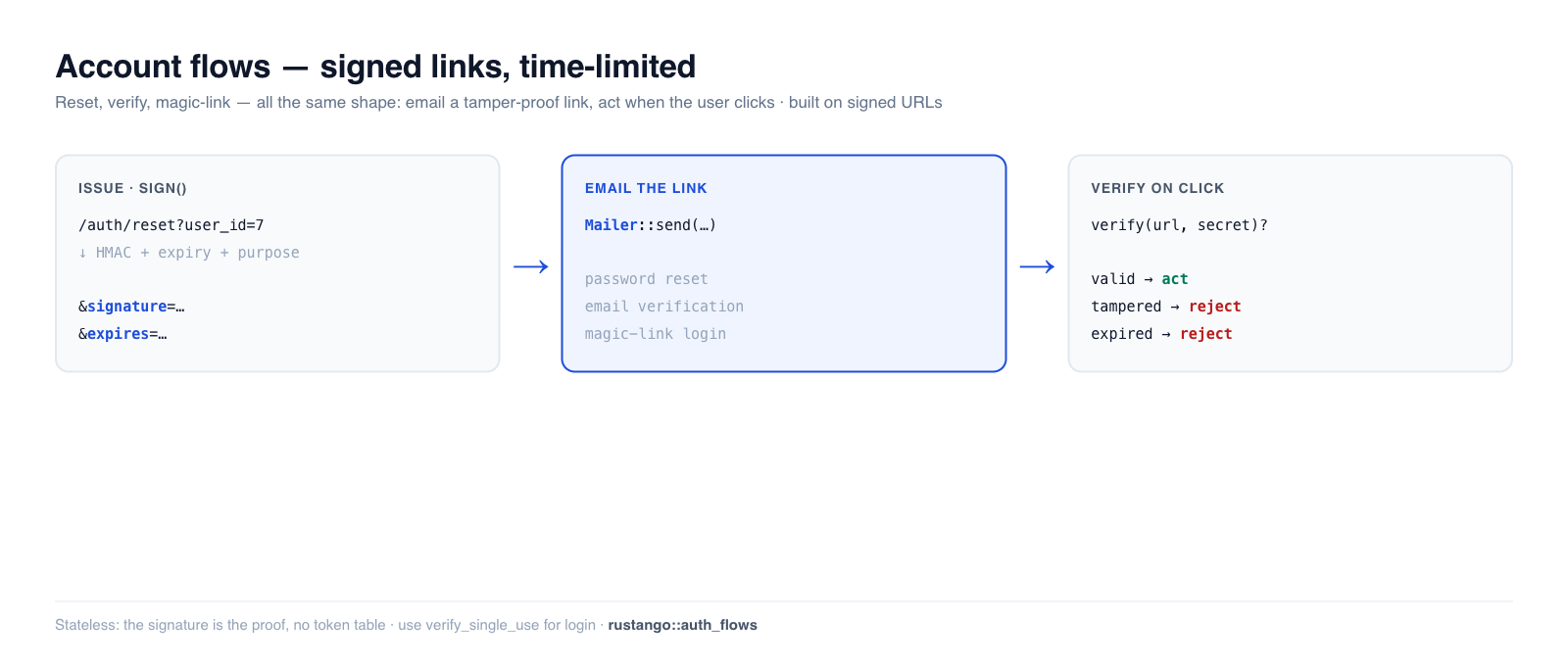
The flows every app needs around the edges of login: password reset, email verification, and magic-link (passwordless) login. All three are the same shape — email the user a tamper-proof, time-limited link, then act when they click it — and Rustango builds them on one substrate: signed URLs. A signed URL is a normal URL with an HMAC signature appended, so the server can trust its parameters without storing anything.
New to a term here? HMAC, token, expiry — see the glossary.
Source:
rustango::signed_url(sign,verify,SignedUrlError) andrustango::auth_flows(PasswordReset,EmailVerification,MagicLink,confirm_password_reset_pool_into) — behind thesigned_url/auth_flowsfeatures (on by default; reset-confirm also needspasswords+ a DB backend).Runnable version: every snippet is copied from
auth_flows_doc.rs(cargo test -p rustango --features sqlite --test auth_flows_doc).
Table of contents
- Signed URLs: the substrate
- Password reset
- Email verification
- Magic-link login
- Single-use tokens
- What you provide
- See also
Signed URLs: the substrate
sign appends an HMAC-SHA256 signature (and optional expiry) over the URL's path
- query.
verifyrecomputes it: tamper with any parameter, use the wrong secret, or let it expire, and it fails.
use rustango::signed_url::{sign, verify, SignedUrlError};

let url = "https://app.example.com/files/42?user_id=7";
let signed = sign(url, secret, None);     // None = never expires
assert!(verify(&signed, secret).is_ok());

// Flip any signed byte → InvalidSignature.
let tampered = signed.replace("user_id=7", "user_id=8");
assert_eq!(verify(&tampered, secret), Err(SignedUrlError::InvalidSignature));
Add a TTL and an expired link is rejected (sign_at / verify_at take explicit
unix seconds for deterministic tests):
use rustango::signed_url::{sign_at, verify_at, SignedUrlError};

let signed = sign_at(url, secret, Some(100));         // expires at t=100
assert!(verify_at(&signed, secret, 50).is_ok());      // before → ok
assert_eq!(verify_at(&signed, secret, 1000), Err(SignedUrlError::Expired));
The query is sorted before signing, so parameter order doesn't matter. Errors
are MissingSignature, MalformedSignature, InvalidSignature, Expired.
Password reset
The auth_flows helpers wrap signed URLs with a purpose tag (so a reset
token can't be replayed as a magic link) and encode the user id. PasswordReset
also ships a confirm helper that verifies the token and rotates the stored
hash in one call.
use std::time::Duration;
use rustango::auth_flows::{PasswordReset, confirm_password_reset_pool_into};

// 1. User asks to reset → look them up → issue a link → email it.
let url = PasswordReset::issue(
    "https://app.example.com/auth/reset",   // your callback route
    user_id,                                // encoded in the token
    secret,
    Duration::from_secs(3600),              // 1-hour TTL
);
mailer.send(&Email::new().to(addr).subject("Reset your password").body(&url)).await?;

// 2. User clicks + submits a new password → verify + rotate the hash.
let user_id = confirm_password_reset_pool(
    &pool, &url, "a-brand-new-strong-password", secret,
).await?;
Use this form for
rustango_users. Framework sessions carry a fingerprint of the password hash (#1338), so the new hash ends every session issued before the reset, an attacker's included. It also stampspassword_changed_at, which records the change but is not what ends them.
The confirm helper applies the password policy, argon2id-hashes the new password, and writes it — rejecting weak, expired, tampered, or wrong-secret inputs without touching the row:
// valid token + strong pw → hash rotated (starts "$argon2…")
// "12345678"               → Err(WeakPassword), nothing written
// user_id tampered         → Err(InvalidSignature), nothing written
It is the same passwords::strength_score the rest of the framework uses, so a
password refused at registration cannot be set by resetting (#1399).
_intopoints at your own table/columns — a tenantapp_users, say. It writes only the hash. Sessions the framework issues end on that new hash; a session check your app writes itself must compare the hash too, or stamp its own column in the same transaction.
Make the link single-use
The helpers above verify signature and expiry only, so the link stays usable for its full TTL — including after the password has been changed. A copy of the email in a shared inbox, a forwarded message, or a support ticket with the mail pasted in is a working account takeover until the token expires, at a point where the legitimate user has finished and has no reason to suspect anything.
Pass a cache and the token is consumed on first use:
use rustango::auth_flows::confirm_password_reset_single_use;

let user_id = confirm_password_reset_single_use(
    &pool, &url, "a-brand-new-strong-password", secret, &cache,
).await?;                      // a replay → Err(AuthFlowError::AlreadyUsed)
_single_use_into takes the same table/columns as _into. The password policy
is checked before the token is consumed, so a rejected password does not cost
the user their link.
The used-marker lives in the cache, not in the token, so every replica must share one cache — two instances means two blacklists and no enforcement.
Email verification
EmailVerification encodes both the user id and the email, so on verify you
get both back and can confirm the address still matches (catching links sent
before an email change). There's no built-in DB write here — you set your own
"verified" column:
use rustango::auth_flows::EmailVerification;

// On signup:
let url = EmailVerification::issue(callback, user_id, &email, secret, Duration::from_secs(86_400));
mailer.send(&Email::new().to(&email).subject("Confirm your email").body(&url)).await?;

// On click:
let (user_id, email) = EmailVerification::verify(&url, secret)?;
// → if email still matches the user's current address, mark them verified
Magic-link login
MagicLink encodes just the email — the user clicks, you look up the account and
mint a session. Keep the TTL short (10–30 min) and make it
single-use (next section), since the link is the credential:
use rustango::auth_flows::MagicLink;

let url = MagicLink::issue(callback, &email, secret, Duration::from_secs(900));
mailer.send(&Email::new().to(&email).subject("Your sign-in link").body(&url)).await?;

// On click:
let email = MagicLink::verify_single_use(&url, secret, &cache).await?;
// → look up the user by email, create a session
Single-use tokens
Plain verify only checks signature + expiry, so a leaked link is replayable
until it expires. For login and reset, prefer verify_single_use(url, secret, &cache) — it records the token's signature in a Cache and refuses a second
use. For reset specifically, confirm_password_reset_single_use does this as
part of the same call (above):
// first click  → Ok(email)
// same link reused → Err(AuthFlowError::AlreadyUsed)
Back it with a shared cache (Redis) in production so a token can't be replayed
against a different replica. The check is one atomic Cache::add and fails closed:
a cache error, or a NullCache, refuses rather than risk a replay. A custom Cache
must implement add atomically; every shipped backend does.
What you provide
The framework issues/verifies tokens and (for reset) writes the hash; your app supplies the rest:
- A secret (a stable app key; 32 bytes by convention).
- A mailer to send the links —
rustango::emailshipsConsoleMailer,SmtpMailer, andInMemoryMailer(handy in tests). - A user table with the columns each flow needs (email for verify/magic-link lookup; a password-hash column for reset; a "verified" column you own).
- The callback routes that receive the click and the session minting for magic-link login.
See also
- Passwords — the hashing that reset rotates.
- Sessions — what magic-link login creates on success.
- HMAC request signing — the same HMAC primitive, applied to API requests instead of URLs.
- Security guide — the broader hardening checklist.