 Rustango
Access decorators
Once a user is authenticated, you gate routes. Rustango ships a
login_required family of composable axum layers: attach one to a router
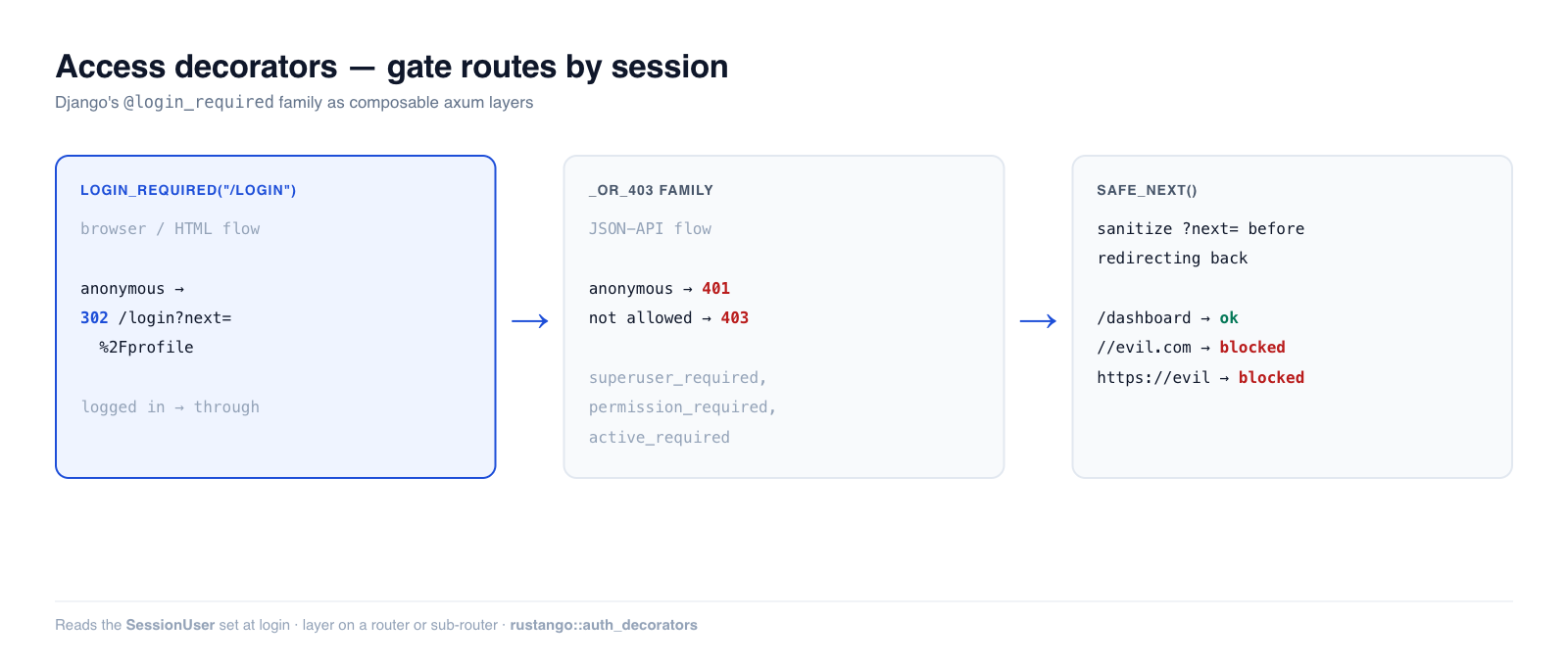
and anonymous requests are turned away — 302'd to your login page (browser flow)
or answered with 401/403 (API flow) — before they ever reach the handler.
Source:
rustango::auth_decorators(login_required,login_required_or_401,user_passes_test,superuser_required,active_required,permission_required+_or_403variants;safe_next,extract_next) — the gates are behind thetenancyfeature and work only under the tenancy server (they read theSessionUserextractor).safe_next,extract_next,extract_next_namedandredirect_to_loginneed only axum.Runnable version: the gating behavior is covered by the tested
auth_demo—cargo test -p auth_demo --test auth_decorators.
New to a term here? middleware/layer, extractor, 401/403 — see the glossary.
Deep dive companion to the Security guide.
Tenancy apps only. The gates read one thing: the signed
rustango_tenant_sessioncookie, through theSessionUserextractor. The tenancy server sets that cookie when a user signs in at the tenant login (/loginby default), through SSO, or when an operator impersonates a user. The extractor also needs the tenant context that the tenancy server mounts. The gates do not readSessionStoresessions. In a single-database app, or on a router without the tenancy server, every request counts as anonymous:login_requiredredirects to the login page every time. See Single-database apps for what to use there.
Table of contents
- Quick start · Browser vs API gates
- The gate family · Predicate & role gates
- Permission gates · The
?next=round-trip - Single-database apps · Notes & limits
Quick start
use rustango::auth_decorators::login_required;

// Scope the gate to a sub-router (the idiomatic shape):
let private = Router::new()
    .route("/profile", get(profile))
    .route("/settings", get(settings))
    .layer(login_required("/login"));      // anonymous → 302 /login?next=...

let app = Router::new()
    .route("/", get(home))                 // public
    .merge(private);
Anonymous requests to /profile are redirected to /login?next=%2Fprofile; an
authenticated request passes through to the handler.
Browser vs API gates
The same gate comes in two response shapes. Pick by what the caller can do with the response:
- Browser / HTML → the base gates 302-redirect to your login page (a human can follow it and log in).
- JSON API → the
_or_403family returns status codes:401 Unauthorizedfor anonymous,403 Forbiddenfor authenticated-but-not-allowed (a client can't render an HTML login page, and the 401/403 split lets it tell "log in" from "you can't do that" apart).
// Browser: redirect to /login
let app = Router::new().route("/dashboard", get(dash)).layer(login_required("/login"));

// API: 401 for anonymous, never a redirect
let api = Router::new().route("/api/me", get(me)).layer(login_required_or_401());
The gate family
| Gate (browser, 302) | API variant (401/403) | Lets through |
|---|---|---|
login_required(url) | login_required_or_401() | any logged-in user |
active_required(url) | active_required_or_403() | logged-in and active |
superuser_required(url) | superuser_required_or_403() | is_superuser && active |
user_passes_test(url, pred) | user_passes_test_or_403(pred) | predicate over the User row |
permission_required(url, codename) † | permission_required_or_403(codename) | holds the permission codename |
† permission_required is the one gate in this column that does not always redirect. An anonymous visitor gets the 302 to login_url; a visitor who is logged in but lacks the codename gets a bare 403, with no redirect and no body. The other four redirect in every failure case. |
All are tower layers — .layer(...) them onto a router or sub-router.
Predicate and role gates
user_passes_test runs your closure against the resolved User row, so you can
gate on any field:
use rustango::auth_decorators::{user_passes_test, superuser_required_or_403};

// Staff-only sub-router (browser):
let staff = Router::new()
    .route("/admin/dashboard", get(dashboard))
    .layer(user_passes_test("/login", |u| u.is_superuser));

// Superuser-only JSON API → 401 anonymous / 403 non-superuser:
let api = Router::new()
    .route("/api/admin/stats", get(stats))
    .layer(superuser_required_or_403());
superuser_required / active_required are pinned shortcuts for the common
is_superuser && active / active predicates so call sites don't silently
diverge on whether deactivated accounts still count.
Permission gates
permission_required checks a permission codename against the tenant's
permission engine (superusers bypass automatically). It additionally resolves
the Tenant extractor, so routes using it must be mounted under the tenant
context:
use rustango::auth_decorators::permission_required;
use rustango::tenancy::permissions::ACCESS_ADMIN_CODENAME;

let admin = Router::new()
    .route("/admin", get(dashboard))
    .layer(permission_required("/login", ACCESS_ADMIN_CODENAME));
The ?next= round-trip
login_required preserves the originally-requested URL in ?next= so your login
handler can send the user back after authenticating. You must sanitize that
value — echoing it into a redirect unchecked is a textbook open-redirect
(phishing) hole. safe_next is the guard:
use rustango::auth_decorators::{extract_next, safe_next};

async fn login_post(Query(q): Query<HashMap<String, String>>, /* … */) -> Response {
    // … verify credentials, set the session …
    let dest = extract_next(&q)
        .and_then(|n| safe_next(&n))          // rejects open redirects
        .unwrap_or_else(|| "/".to_owned());
    Redirect::to(&dest).into_response()
}
safe_next only accepts same-origin, root-relative paths — it rejects absolute
URLs, scheme-relative //host, backslash variants, their percent-encoded
forms, control characters and empty values:
assert_eq!(safe_next("/dashboard"),            Some("/dashboard".to_owned()));
assert_eq!(safe_next("https://evil.example/x"), None);
assert_eq!(safe_next("//evil.example/x"),       None);   // scheme-relative
assert_eq!(safe_next("%2F%2Fevil.example/x"),   None);   // decodes to //evil
Single-database apps
There is no ready-made gate for an app without tenancy today. Use one of these:
- Staff pages in the admin. The bare admin has its own login. Call
with_session_auth(secret)onrustango::admin::Builderand every admin route asks for a signed-in admin user. The admin puts the session in the request asExtension<AdminSession>. This gate covers the admin router only, not your own routes. - Your own routes. Write a small middleware with
axum::middleware::from_fn: read your session cookie, load the session withSessionStore::load, and when there is no user in it, returnredirect_to_login(login_url, "next", original_path). In the login handler, read?next=withextract_nextand pass it throughsafe_next, as shown above. These helpers do not need thetenancyfeature.
Notes and limits
- "Logged in" means a tenant session. The
SessionUserextractor resolved an active user from therustango_tenant_sessioncookie for this tenant. A cookie from another tenant, an expired one, or one minted before the user's last password change or logout counts as anonymous. API token auth (JWT, API keys) gates at the backend chain layer instead, reading theAuthorizationheader. - Layer ordering matters.
.layer(gate)protects every route added to the router before it; routes added after are public. Scoping the gate to a dedicated sub-router (the quick-start shape) avoids that footgun. permission_requiredneeds tenant context (it queries the tenant perm engine) — mount it under the tenant; an untenant'd route 500s.- The redirect's
?next=is always percent-encoded, so CRLF / response-splitting can't leak into theLocationheader. - Writing your own gate?
redirect_to_login(login_url, "next", original)builds the same 302, andextract_next_named(&q, field)reads a field other thannext.