 Rustango
Scaffolding
Rustango has two layers of code generation, so you rarely wire boilerplate by hand:
- The project generator —
cargo rustango newcreates a whole new project from a template. - In-project generators —
manage startappand themanage make:*family add apps, views, serializers, jobs, and more inside an existing project.
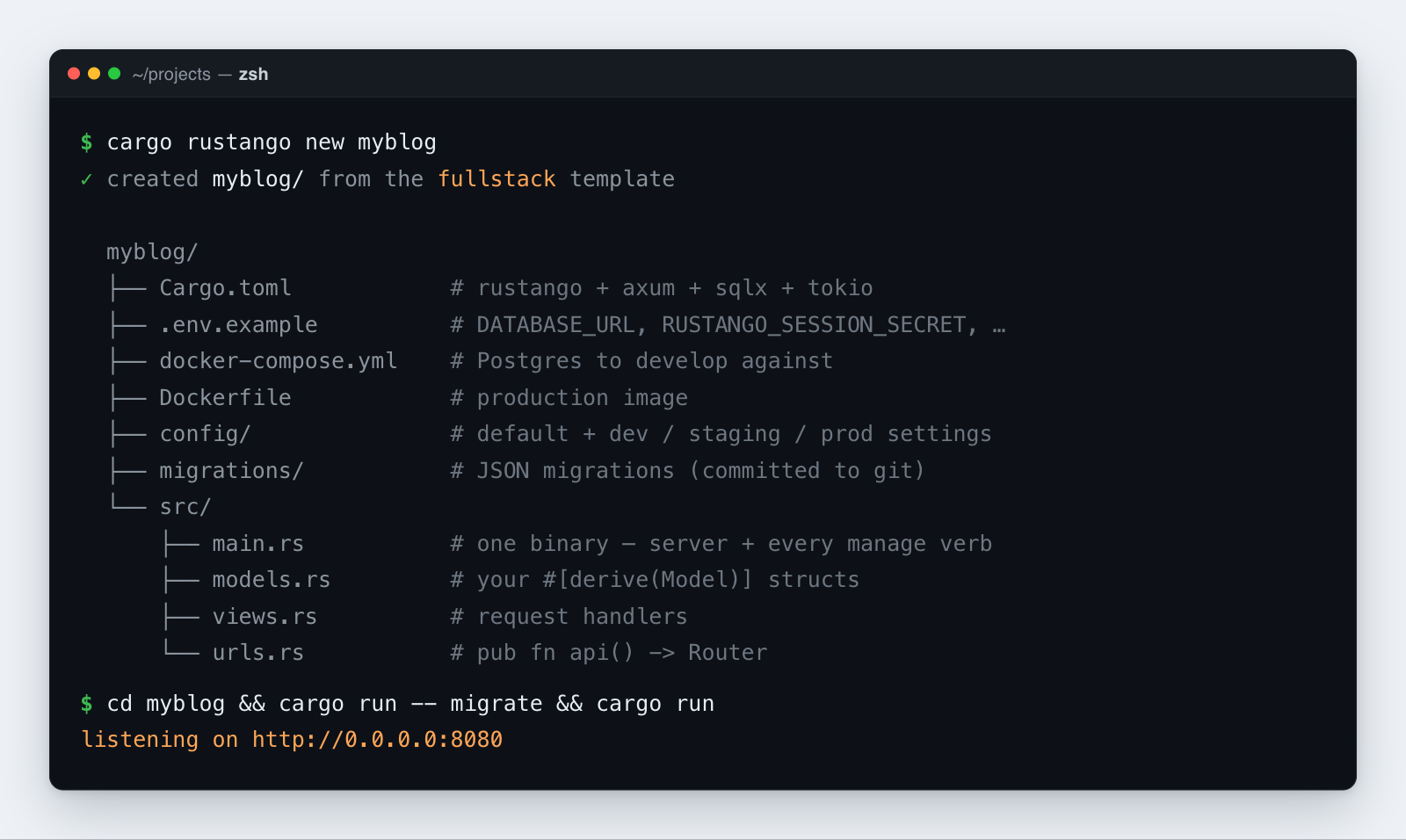
Table of contents
- Install the generator
- Create a project:
cargo rustango new - What gets generated
- Add a feature module:
manage startapp - Generate single files: the
make:*commands - A typical flow
Install the generator
cargo rustango is a Cargo subcommand. Install it once, globally:
cargo install cargo-rustango
That puts a cargo-rustango binary on your PATH; Cargo then exposes it as cargo rustango, one global command you can run from anywhere. The same install adds cargo-rgo, so cargo rgo … is a shorter way to type any cargo rustango … command.
The generator's own version is the one your project gets
cargo rustango new writes rustango = "MAJOR.MINOR" into the generated Cargo.toml, taken from the generator's version, not from whatever is newest on crates.io. Whichever generator you install is the version your project pins.
That is almost always what you want, and it is why the install command above is unpinned: the newest generator writes the newest pin, and the two cannot drift apart.
It is worth knowing when you deliberately want an older release — to match a project already on it, or to reproduce a report. Pin the generator, not the project:
cargo install cargo-rustango --version 0.57.0
Check which one you have with cargo rustango --version. Upgrading later is the same command with --force, and it only affects projects you generate afterwards — an existing project's pin is a line in its own Cargo.toml, which you edit yourself.
Create a project: cargo rustango new
cargo rustango new <name> [--template api|fullstack|tenant]
                          [--backend postgres|sqlite|mysql]
                          [--features <list>]
<name>— the project (and crate) name. It must be a valid Cargo crate name ([A-Za-z_][A-Za-z0-9_-]*), and the target directory must not already exist.--template/-t— which starter to scaffold (default: fullstack).--backend/-b— which database the project runs on (default: postgres).--features/-F— extra Rustango features, comma- or space-separated.--alias rgo— name the dependencyrgoinstead ofrustango(see A shorter name).--interactive/-i— pick from menus instead. A barecargo rustango newon a terminal does the same.--help/-h,--version— usage and version.
Run it with no arguments and it asks:
  rustango — new project
  (enter accepts the default; ctrl-c aborts)

  Project name: shop

  Template
    1) fullstack  ORM + auto-admin + forms — the usual starting point  (default)
    2) api        bare ORM + axum, no admin UI — for JSON-only services
    3) tenant     multi-tenancy: tenant registry + operator console
  > 3

  Database
    1) postgres  every feature, including schema-mode tenancy  (default)
    2) sqlite    a file beside the project — no server to run
    3) mysql     MySQL 8.0+ / MariaDB
  > 1

  Extra features  (numbers, e.g. `1 3 4` — enter for none)
     1) csrf         CSRF protection middleware for form POSTs
     2) sso          OIDC single sign-on for application users
     …
  > 1 2

  Same thing without the wizard:
    cargo rustango new shop --template tenant --backend postgres --features csrf,sso

  Create it? [Y/n]
The wizard sets exactly the fields the flags set and prints the equivalent command line before it writes anything — so using it once teaches the flags, and there is only one code path deciding what a project contains. Off a terminal (a script, a CI job) it fails with a message instead of waiting for an answer nobody is there to give.
The three templates
Each maps to one of Rustango's three app shapes:
| Template | What you get | Reach for it when |
|---|---|---|
api | Bare ORM + Axum, no admin | JSON-only services and microservices |
fullstack (default) | ORM + the auto-admin | A typical web app with a back-office |
tenant | Multi-tenancy + operator console + per-tenant apps | SaaS hosting many isolated tenants |
cargo rustango new myblog                      # fullstack (the default)
cargo rustango new api_demo  --template api
cargo rustango new shop      --template tenant
Choosing a database: --backend
cargo rustango new edge --backend sqlite
cargo rustango new shop --backend mysql
--backend decides what cargo run uses, and shapes the whole project to match — the DATABASE_URL in .env.example, the services in docker-compose.yml, the url in each settings tier, and the README's run instructions. Pick sqlite and there is no database service at all: it is a file beside the project, created by the first cargo run -- migrate.
All three backends stay wired up in the generated [features], so the other two remain one flag away:
cargo run --no-default-features --features sqlite
Turning on more of the framework: --features
cargo rustango new saas --template tenant --features csrf,sso,cache-redis
A template turns on a sensible set; --features adds the opt-ins none of them reach:
| Feature | What it adds |
|---|---|
csrf | CSRF protection middleware for form POSTs |
sso / admin-sso | OIDC single sign-on, for application users / for the admin site |
passkey | WebAuthn / passkey authentication |
cache-redis / cache-page | Redis cache backend / whole-page response caching |
jobs / jobs-postgres | Background job queue, in-process / database-backed so it survives restarts |
scheduler | Fixed-interval background tasks |
email-smtp | SMTP transport for the email framework |
mcp | Model Context Protocol server for AI agents |
http2 | Serve cleartext HTTP/2 (h2c) next to HTTP/1 |
testkit / test_utils | Test-only schema builders, factories, and constructors |
--features tenancy alone picks --template tenant; with another template it is refused, because only the tenant main.rs serves tenancy. cargo rustango new --help prints this list. Backends are not valid here — pass --backend instead; naming one as a feature is refused, because it would pin the framework's backend while the project's own feature stayed off, and #[derive(Model)] gates its emissions on the project's features.
A shorter name: rgo
cargo rgo new shop --alias rgo
--alias rgo writes the dependency under the name rgo, and the generated code uses rgo:: paths and #[rgo(...)] attributes. The crate rgo on crates.io belongs to someone else, so this is a rename of the rustango package:
[dependencies]
rgo = { package = "rustango", version = "0.62", default-features = false, features = ["batteries"] }

[features]
postgres = ["rgo/postgres"]
use rgo::prelude::*;

#[derive(Model, Debug, Clone)]
#[rgo(table = "item", display = "name")]
pub struct Item {
    #[rgo(primary_key)]
    pub id: Auto<i64>,
    #[rgo(max_length = 64)]
    pub name: String,
}
#[rgo(...)] means exactly what #[rustango(...)] means, and works whatever you call the dependency. One struct or field uses one name: mixing #[rustango(...)] and #[rgo(...)] on the same item is a compile error. manage startapp and the make:* generators read Cargo.toml and write rgo:: paths and #[rgo(...)] too.
What gets generated
Every template writes a self-contained Cargo project:
<name>/
  Cargo.toml            # the rustango dependency + features for this template
  .env.example          # copy to .env (DATABASE_URL, RUSTANGO_SESSION_SECRET, …)
  .gitignore
  rust-toolchain.toml   # selects the `stable` toolchain + rustfmt/clippy/rust-analyzer
  docker-compose.yml    # the database service (none for sqlite) + a cargo-watch dev container
  Dockerfile            # production image (multi-stage, release, non-root)
  Dockerfile.dev        # the dev image docker-compose.yml builds
  .dockerignore
  README.md
  config/
    default.toml        # settings shared across every environment
    dev_settings.toml   # per-tier overrides …
    staging_settings.toml
    prod_settings.toml
  migrations/           # JSON migration files (committed to git)
  system/migrations/    # the framework's own tables, generated on first migrate (commit them)
  src/
    lib.rs              # the app as a library: `pub mod models; pub mod urls; pub mod views;`
    main.rs             # the single binary — HTTP server + every manage verb
    models.rs           # your #[derive(Model)] structs
    views.rs            # request handlers ("views")
    urls.rs             # pub fn api() -> Router that aggregates your routes
One binary for everything
src/main.rs is the only entrypoint. It boots the HTTP server and dispatches every manage verb — there is no separate manage script or src/bin/manage.rs. The modules live in the library target (src/lib.rs), so main.rs reaches them by crate name, and so can a worker binary under src/bin/. The api template's main.rs, trimmed:
use myapp::urls;

#[rustango::main]
async fn main() -> Result<(), Box<dyn std::error::Error>> {
    let _ = dotenvy::dotenv();
    rustango::manage::Cli::new()
        .api(urls::api())
        .with_health()   // /health + /ready endpoints (every template)
        .run()
        .await
}
So cargo run starts the server, and cargo run -- <verb> runs migrations, generators, and the rest.
How the templates differ inside main.rs / urls.rs:
- api — no admin;
urls::api()simply aggregates your own routes. - fullstack — same
urls.rs, plusadmin_prefix(&settings)and anadmin_router(pool, &settings)helper thatmain.rsmounts withCli::nest_with(urls::admin_prefix(&settings), …), built from the server's pool. The prefix is[admin] url_prefix(or[routes] admin_url), else/admin.main.rsloads the settings once and passes them to theCliwithwith_loaded_settings. It takesrustango::sql::Pool, so it names no driver, and sits behind a login: create the account withcargo run -- create-admin <username> --superuser(see getting started, Step 11). - tenant —
main.rsadds.tenancy(), serving the operator console at the apex domain and each tenant under its own subdomain, and.with_tenant_provisioning("migrations")for the console's New tenant and Database servers pages (delete it to turn them off; saving a server needsRUSTANGO_SECRET_KEY). The framework's own tables are generated into asystem/migrations/folder from the compiled models on the firstcargo run -- migrate— no hand-shipped bootstrap JSON, so the very first migrate works with no extra setup.
Layered configuration
Settings load config/default.toml first, then config/<RUSTANGO_ENV>_settings.toml on top. RUSTANGO_ENV defaults to dev, so a freshly scaffolded cargo run works with no edits; set RUSTANGO_ENV=prod in production to pick up prod_settings.toml.
The environment always wins over the files. RUSTANGO__SECTION__KEY overrides [section] key, and a few keys also have a bare env var that wins over both: DATABASE_URL (or the DB_* vars) for [database] url, RUSTANGO_BIND for [server] bind, RUSTANGO_APEX_DOMAIN for [tenancy] apex_domain. So the database URL comes from DATABASE_URL / DB_*, then RUSTANGO__DATABASE__URL, then [database] url; the prod tier refuses a URL from a settings file. cargo run -- check --settings lists every key and where its value comes from, with secrets hidden.
The dev and staging files set a [brand] tagline of dev and staging. To change it, or to set your own name and logo, see Branding and the admin's config keys.
Settings that do not take effect on their own
Not every key is read by the framework. Keys that did nothing were removed in 0.62.0 ([sso], [auth.jwt] issuer / audience, [admin] primary_color / csrf_cookie_secure / session_timeout_minutes); a file or RUSTANGO__* var that still sets one fails to load and names what to use instead.
| Key | Status |
|---|---|
[audit] retention_days | Read by audit-cleanup when given neither --days nor --keep-last; schedule that verb. |
[jobs], [i18n], [cache], [mail], [mcp], [auth.jwt] TTLs, [admin] | User-wired: read only by the constructor you call (jobs::inmemory_from_settings, Translator::from_settings, cache::from_settings_async, email::from_settings, mcp::secure_tenant_router_from_settings, auth_routes::Config::with_jwt_settings, admin::Builder::from_settings). |
First run
cd <name>
cp .env.example .env                     # then change `postgres` -> `localhost` in DATABASE_URL
docker compose up -d --no-deps postgres  # only the database: the rust service holds 8080
cargo run -- makemigrations              # generate the framework's (and your) tables
cargo run -- migrate                     # apply them
cargo run -- create-admin <username> --superuser  # fullstack: the admin login
cargo run                                # serve
cargo run -- --help                      # see every manage verb
Add a feature module: manage startapp
Scaffold a self-contained module of related models, views, and routes:
cargo run -- startapp blog
It writes src/blog/ containing mod.rs, models.rs (a starter model named after the singularized app — blog → Blog), views.rs, urls.rs, and tests.rs, then declares the module in src/lib.rs (pub mod blog;; mod blog; in src/main.rs on a project without a lib.rs) and merges its routes into urls::api().
Options:
--into <dir>— scaffold under a base directory other thansrc/(e.g. a workspace member).--with-manage-bin— also emit asrc/bin/manage.rs(for layouts that prefer a separate manage binary).
Generate single files: the make:* commands
Inside a project, the make:* verbs scaffold one file at a time. The full per-flag reference lives in the manage CLI reference; the common shapes are:
| Command | Generates |
|---|---|
make:viewset <Name> [--model <M>] | A CRUD ViewSet — the six REST routes over one model |
make:serializer <Name> [--model <M>] | A serializer for request/response shaping |
make:api_routes <app> | An API route aggregator for an app |
make:form <Name> | An HTML form with validation |
make:job <Name> | A background job handler |
make:scheduled <Name> | A fixed-interval task for scheduler::Scheduler |
make:worker <Name> | A worker binary under src/bin/ that drains the job queue |
make:notification <Name> | A multi-channel notification |
make:middleware <Name> | A middleware skeleton |
make:test <Name> | A test module using the in-process test client |
cargo run -- make:viewset PostViewSet --model Post
cargo run -- make:serializer PostSerializer --model Post
cargo run -- make:test post_smoke
A typical flow
cargo rustango new myblog                              # 1. scaffold the project
cd myblog
cargo run -- startapp blog                             # 2. add a feature module
# …add fields to src/blog/models.rs…
cargo run -- makemigrations                            # 3. generate a migration
cargo run -- migrate                                   # 4. apply it
cargo run -- make:viewset PostViewSet --model Post     # 5. expose a JSON API
cargo run                                              # 6. serve